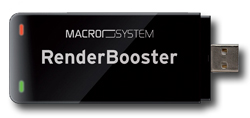
Render Booster
One stick, many units?
The “Render Booster” comes with a software key code. Such software key codes can be purchased without the stick as well – at a much lower price. This means that one stick can be used for several units, simply by purchasing multiple key codes and physically switching the stick between the units (the stick has to be connected before the related unit is started up).
It works on all Bogart compatible machines (Bogart 5 is required, though). This includes Solitaire/Renommee Ultra units. It does NOT support Smart Edit based products.
The Render Booster adds a total of three new formats to “save storyboard” function:
-
This format uses the very advanced “H.264” encoding standard, which will usually give you the best possible encoding quality. The file will have a “.ts” appendix, which is the abbreviation for “transport stream”. .ts files are common in HDTV telecasting and can be played back with many newer players. However, older PCs and/or other players may not have enough CPU speed for a smooth playback of H.264 material. Youtube accepts such files just fine, so it is a good idea to use this setting (especially in the 8 Mbit data rate so the files are smaller, thus reducing the upload time).
-
This format is using the popular .mp4 standard. Since mp4 is THE video format Apple products “like”, it is playable on almost any available playback device on the market. If you want to give your video to others on a disk or USB storage device, this is the recommended file format. However, as the iPhone/iPod/iPad products do not support Full HD video resolution, such files won’t play on these Apple products when generated from a Full HD or HDV (1920x1080, 1440x1080) project.
-
This format also uses the .mp4 standard, but always downsizes HD video to SD (720x576) resolution. These files are fully compatible with the Apple iPhone/iPod/iPad products and can be loaded into the iTunes program without any conversion. After the usual “synchronisation” procedure required to copy files from iTunes into the internal storage of the Apple device, the files can be played by the phone/pod/pad in pristine quality.
The most frequent application for the "RenderBooster" is the production of DVDs and
Blu-
It permits very quick and high-
It is recommended that the "RenderBooster" be installed in one of the rear USB ports.
A short USB extension lead is provided and permits a space-
The "RenderBooster" transcodes all SD and HD projects in the DVD format or in MPEG
/ H.264 formats. And of course every HD project in the Blu-
In addition to this dramatic rendering acceleration, the "RenderBooster" also markedly
improves image quality. The RenderBooster’s hardware based conversion is unambiguously
better than the usual software encoding provided by S series Casablancas and most
PC and Mac systems. This has permitted the introduction of a new good-
The background story
Many Casablanca aficionados vividly remember the “Render Accelerator Option” for the original Casablanca editing system. It was basically a faster processor, making the time intensive effects rendering more speedy.
Since then (1996), CPU power has dramatically increased. The Motorola processor in
1996 was clocked at 25 MHz, now the top of the line “S 6000” has 3.3 GHz – and multiple
cores, too. This (theoretically) makes it thousands of times faster than the then-
But rendering speed is still lacking. Not so much for rendering video effects – even in high definition, there is almost no more related waiting time. Plus, the background rendering allows the user to continue his work while the calculations are done in the background.
The new challenge is called “transcoding”. Since today’s world has not settled on
just one video standard, it is absolutely common, even essential, to convert a video
file into other formats for compatibility reasons. There are many different camcorder
formats to begin with – and it is often desirable to create a Blu-
And this is where today’s rendering time is painful. Making a Blu-
The product
MacroSystem has now tackled these issues with the new “Render Booster” – a device
that plugs onto a USB port just like a thumb drive. The small, elegant stick packs
a lot of hardware power – it basically is a small computer on its own, with a highly
specialised processor. It handles just the transcoding (the de-
The speed
The Render Booster can transcode any HD project into Blu-
Compared to a standard “S 4000 Pro, this means that making a Blu-
The image quality
That is a dramatic speed increase for sure, but there’s more. The quality of the hardware transcoding is superb, far better than the common software encoders used not only by Bogart, but by many other PC/Mac based editing systems too. This allows a new quality mode for HD Arabesk projects – you can now get 90 minutes of pristine FullHD AVCHD material onto a double layer DVD media (45 minutes onto a single layer media). Almost 240 minutes on a single layer BD, 8 hours on a double layer (50 GB) BD!
The power consumption
Instead of using the power hungry main CPU (120 Watts at full capacity) for transcoding,
using the low power consumption “Render Booster” (5 Watts) will save a significant
amount of energy. For a typical Blu-
The use cases
The most common use case for the “Render Booster” is no doubts the generation of
DVDs and Blu-
The “Render Booster” is also used in the “Export Storyboard” feature. It allows very
fast state-
The “Render Booster” should be plugged into one of the rear USB slots. It comes with a short USB cable extender for those that have no room at the back of their unit.